Start-Stop vs Continuous Operation
Choose between cycling and continuous modes
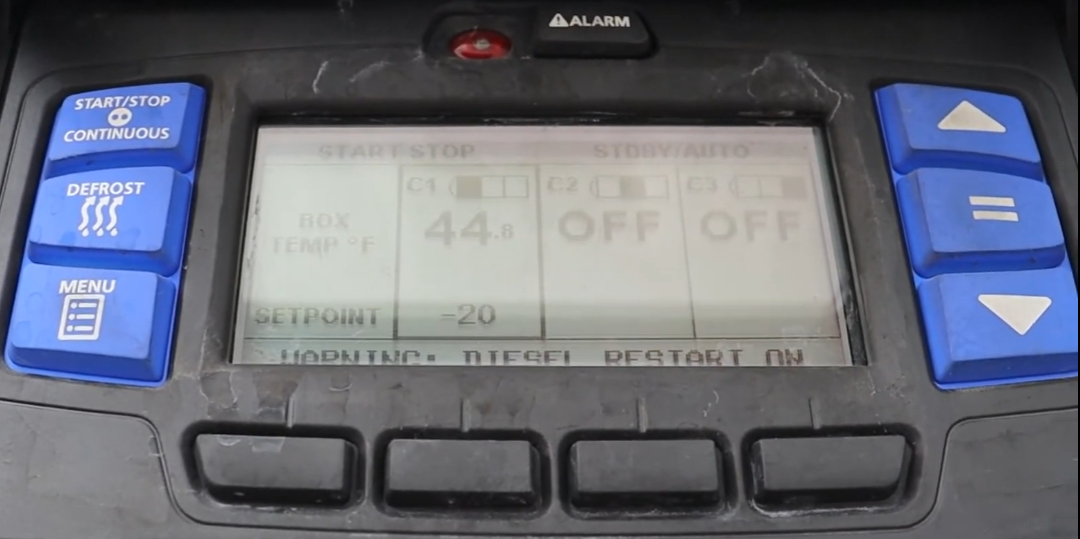
Press the START-STOP/CONTINUOUS key on the left side of the control panel to toggle between modes.
In Start-Stop mode, the unit cycles on and off to maintain temperature efficiently. This saves fuel. The unit shuts down when the compartment temperature reaches near the setpoint and restarts when the temperature drifts away.
In Continuous mode, the unit runs continuously and never shuts down except for shutdown alarms. This mode is best for sensitive cargo that requires consistent temperature control.
"START/STOP MODE SELECTED" or "CONTINUOUS MODE SELECTED" will display in the MessageCenter when the mode is changed.
The mode can be locked by configuration. If "START-STOP LOCKED" or "CONTINUOUS LOCKED" displays, the mode cannot be changed by the driver.