Adjusting Temperature Setpoints
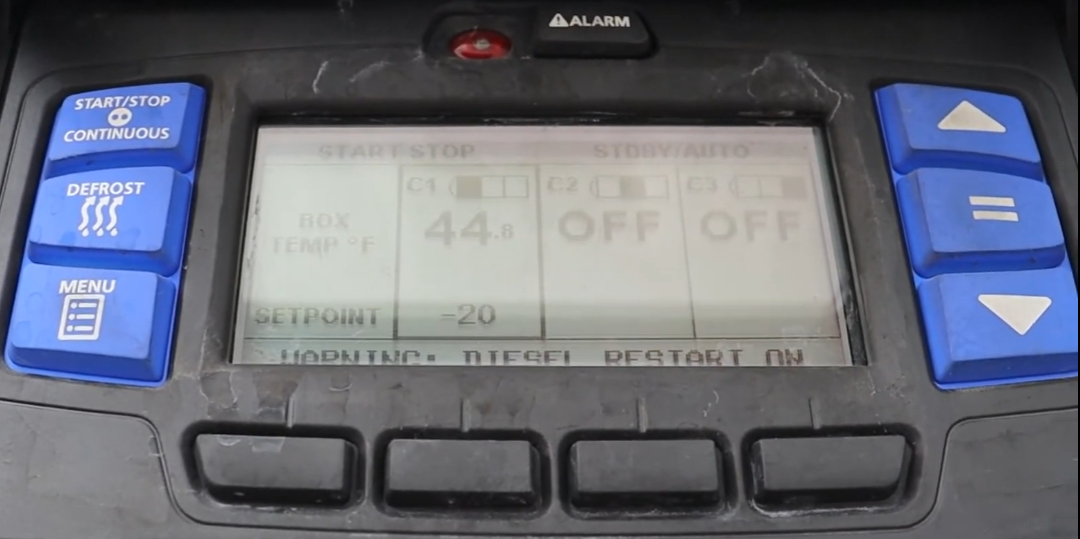
Change the target temperature for each zone
Wait for the highlight box to cycle to the compartment you want to adjust (C1 or C2). The highlight box automatically moves between active zones.
Press the UP (▲) arrow key to increase the setpoint or the DOWN (▼) arrow key to decrease it. The setpoint changes 1 degree per press (or 0.1° if configured). Press and hold for faster scrolling.
CRITICAL: Press the EQUALS (=) key to CONFIRM and SAVE the new setpoint. "SETPOINT CHANGED" will appear in the MessageCenter for 10 seconds when successful.
If you change the temperature but do NOT press the EQUALS key, the screen flashes, the ALARM light flashes, "SETPOINT NOT CHANGED" appears in the MessageCenter, and the system REVERTS to the previous temperature. You MUST press EQUALS to save your change!
The default setpoint range is -22°F to +95°F (-30°C to +35°C).